 GHOST SPACEBrowser · Mobile · Automation
 Ghost Space · Browser + AndroidEvery account.
Every account.
Its own space.
Build persistent browser profiles and Android environments, assign the right people, and standardize the work that is ready to repeat.
No credit card neededWindows app
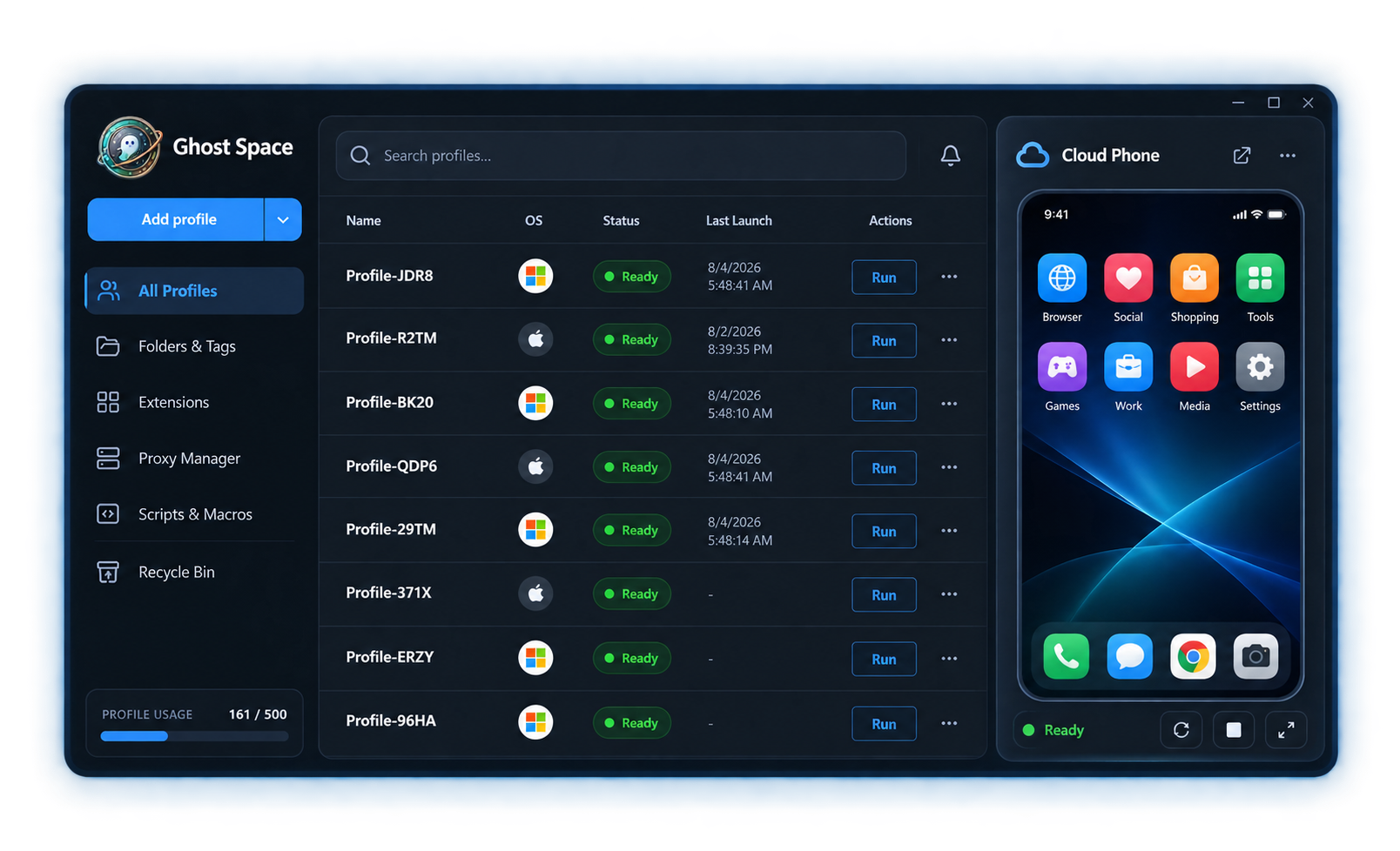
More than a list of accounts.
A complete system around each one.
Ghost Space connects the environment, network configuration, operator access, and repeatable process around every account being managed.
ONE CONNECTED PLATFORMChoose the environment.
Choose the environment.
Keep the operation connected.
01 · BROWSER PROFILES
Persistent sessions without the clutter.
Organize cookies, storage, extensions, proxies, folders, tags, and notes around dedicated browser profiles.
Explore browser profiles →02 · CLOUD PHONE
Android phones you can see and manage.
Create, view, edit protected fields, connect proxies, and run supported mobile flows from Ghost Space.
Explore Cloud Phone →Repeat the work.
Keep a human in charge.
Use Synchronizer, validated workflow cards, schedules, and concise logs.
See automation →Input→Validate→Run→Review
The right people.
The right scope.
Separate owners, managers, and team members with assigned resources and focused controls.
See team controls →OMVA3 roles · explicit assignments
BUILT AROUND REAL OPERATIONSDifferent work.
Different work.
One clear system.
Each solution maps Ghost Space capabilities to a specific operating model—not the same page with a different headline.
View all solutions →01Affiliate marketingSeparate campaign environments and hand work to the right operator.↗02Digital advertisingKeep client, market, and platform profiles clearly organized.↗03E-commerceGive every store a persistent browser or Android environment.↗04Social mediaCoordinate browser and mobile work without mixing account context.↗05AutomationTurn stable processes into visible, reusable workflows.↗06SEO & SERPSeparate research environments by market, project, and proxy.↗
BUILT FOR MODERN TEAMSClarity across
Clarity across
every operation.
Ghost Space keeps profiles, phones, people, and repeatable actions connected in one polished experience.
See which environment, host, or flow is ready before you act.
Connect every resource to the people responsible for operating it.
Move from setup to execution and recent results without losing context.
GHOST SPACE FOR WINDOWSGive every account
room to work.
Start with browser profiles. Add Android, automation, and team access when the operation needs them.